
Issue: Bullet Points are Misaligned in Firefox
Problem
In Firefox, when a clickable element such as <a> or <button> is rendered inside of a <li> element, Firefox renders the content below the bullet instead of adjacent to it.
Solution
You can fix misaligned bullet points in Firefox by wrapping the clickable element in a block-level element, like a <div>
Example
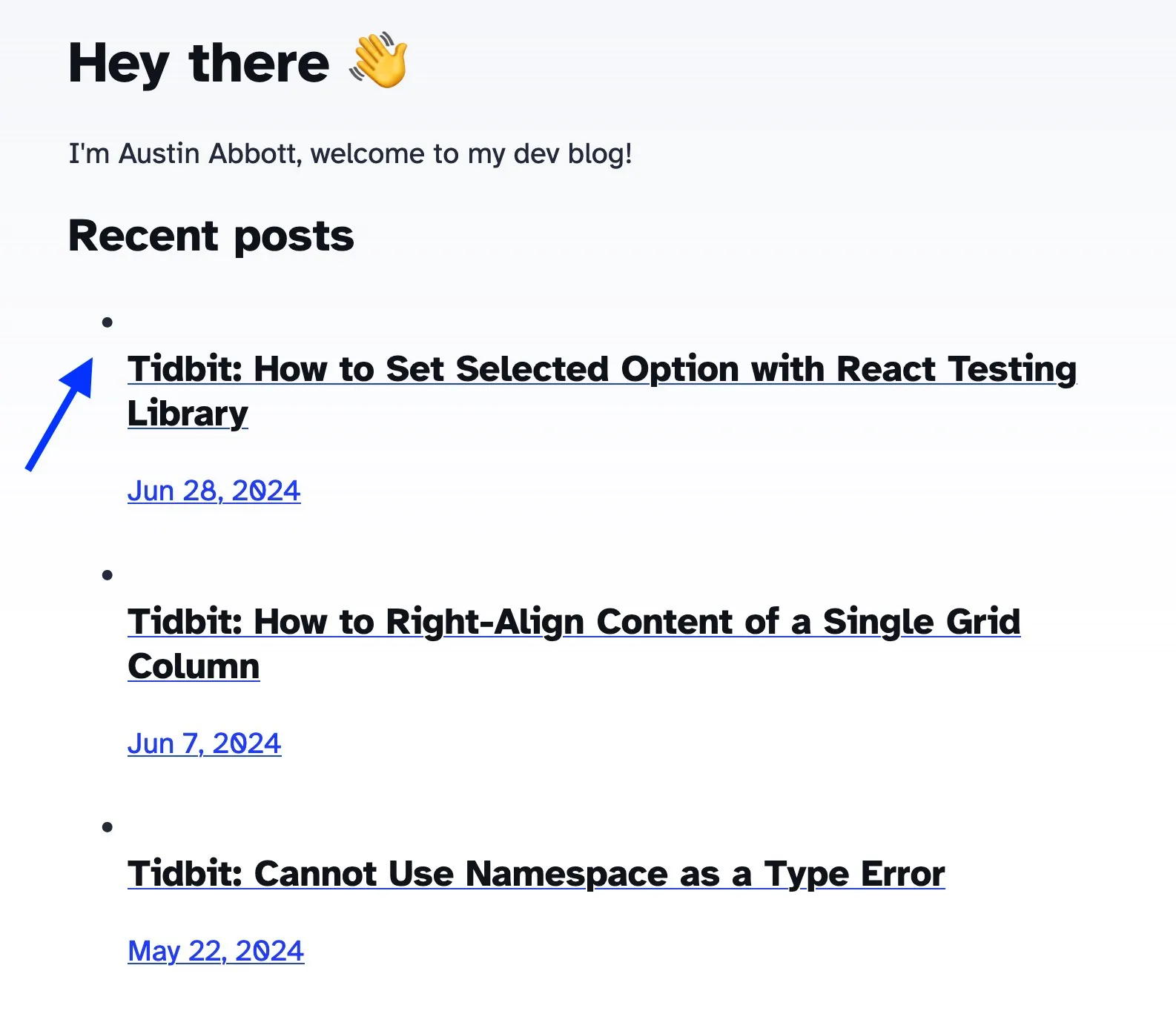
Code fix
<section>
    <h4>Recent posts</h4>
    <div>
        <ul>
        {
            posts.map((post) => (
            <li>
                {/* div prevents misaligned bullets in Firefox */}
                <div>
                <a href={`/blog/${post.slug}/`}>
                    <h5 class="title">{post.data.title}</h5>
                    <p class="date">
                    <FormattedDate date={post.data.pubDate} />
                    </p>
                </a>
                </div>
            </li>
            ))
        }
        </ul>
    </div>
</section>
Happy Friday!
Header photo by Rubaitul Azad on Unsplash